As an independent insurance agent, having the right tools makes it seem like you're a team of ten instead of one. And one of the most important tools for efficiency? A CRM. But how can you find the best CRM for independent insurance agents? We'll walk you through the essential tools your new CRM should have and what you should prioritize based on your niche.
CRMs keep you effective and focused on your job without adding a complicated step in your workflow. Independent insurance agents are already at a disadvantage compared to large brokerage firms because they have a harder time managing leads.
At Hooked CRM, we believe our system works for independent insurance agents and provides all the features they need to increase their ROI — no matter what that is. Book a demo with us today to get started.
What Makes an Independent Agent's CRM Needs Different?

What is a CRM? A CRM is a customer relationship management system, and its primary function is to track your leads and clients, freeing up time for other tasks. A CRM for independent insurance agents should work as your second brain, anticipating the different needs of your business before you notice.
CRMs focused on larger companies will provide views for different positions within their company. However, with a CRM focused on independent agents, you'll want a CRM with a comprehensive view of your metrics, showing you exactly where you might've lost a lead. This will help you refine your own customer journey map and increase client satisfaction.
What Most CRMs Get Wrong for Solo Producers
Not all CRMs are built for smaller teams. Before you move to a new CRM or workflow, make sure its process will work for your system. Here are a few factors you need to consider when making a decision:
- Built for Teams: CRMs heavily focused on team management are not right for independent insurance agents. It should primarily organize lead management and give you a comprehensive view of your client list.
- Assumes IT Support: If you're an independent insurance agent, you won't likely have a support team working with you. Choosing a simple CRM that mitigates the need for heavy IT support is recommended.
- Price per Seat: Most CRM models are priced per seat, meaning you'll pay per person on your team. This can work with individuals; however, you will need to check if it is available with the CRM you're looking at.
Of course, none of these should be dealbreakers if the CRM includes all the features you're seeking. Independent insurance agents should also consider whether it's a CRM for insurance agents or if it doesn't match well with their industry.
What to Look for in a CRM as an Independent Agent
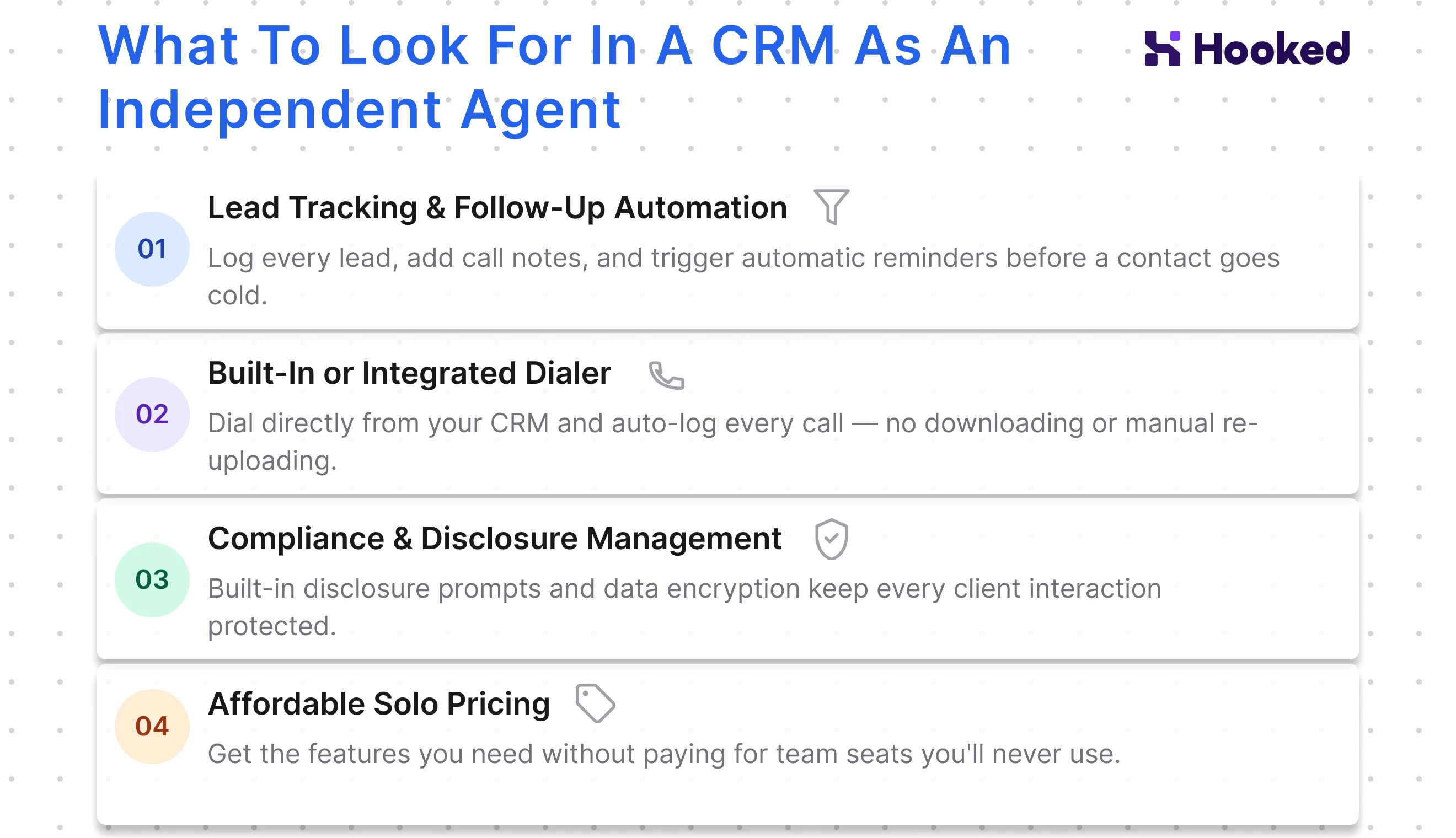
Independent insurance agents need lots of support from their CRM, even more so than small businesses. Their CRM should act as their personal assistant, prompting them with reminders and tracking their leads. Here are just a few things independent agents should be prioritizing:
Lead Tracking & Follow-Up Automation
Lead management is the bread and butter of a CRM. Your CRM should capture every lead and track your notes, and for the individual agent, it should provide ample fields to keep your leads organized. This way, you can find the lead whenever they become relevant in your workflow and get informed of their needs immediately.
In addition to proper lead management, having automated follow-ups becomes essential in the life of an independent agent. If you're juggling multiple leads, having a CRM that tracks your customer journey map and sends you reminders to email or text your leads, keeping your relationships alive.
Built-In or Integrated Dialer
Independent insurance agents typically use VoIP dialer systems to contact their leads. If you are currently using a dialer, it should integrate seamlessly with your CRM. If you find yourself having to download your call information to upload into your dialer, it might be time to consider a new CRM or workflow.
However, the preferred method of capturing calls is with a built-in dialer. A CRM with a built-in dialer automatically logs and pulls important information without spending time uploading calls for analysis. This can help you reach leads faster, sell more policies, and build client relationships.
Compliance & Disclosure Management
With insurance sales, security and compliance are essential to protecting your clients' information. If you aren't investing in proper compliance and disclosure management, you're opening yourself up to lawsuits and losing your customers' trust.
CRMs can help by providing encryption services to protect customer data and prompt you to relay disclosure information before calls begin. This ensures all your bases are protected. Before making a purchase, confirm that your lead's information will be safe.
Affordable Solo Pricing
Lastly, ensure you can afford the CRM you're looking at. Depending on the number of features it has, CRMs can be pricy, making it difficult for an independent agent to afford the services. However, there are plenty of affordable CRM options available if you are looking for them.
We recommend creating a list of non-negotiable features for your CRM and asking questions during a demo with each company. This ensures you get all the features needed to run your business without breaking the bank.
How Independent Insurance Agents Use a CRM Daily

Depending on your industry, independent insurance agents can use a CRM in various ways. However, there are some universal ways insurance agents use their CRM to increase efficiency and manage their workload.
- Managing Schedules: Your CRM should give you a personalized schedule. This keeps your day structured and organized.
- Prioritizing Leads: With every customer interaction, either you or the CRM's AI assistant should categorize your leads and show which ones need more attention.
- Checking Reports: Every day, individual agents should be monitoring the statistics the CRM tracks. Having customized reports that show you exactly how you're winning or where you need to improve is essential to adjusting your customer journey map.
- Automatic Contact: If you're running a solo operation with many clients, contacting everyone can be difficult. A CRM that automatically sends your leads policy updates is incredibly useful.
CRM Workflows for Independent Agents by Insurance Product
Depending on the type of insurance you sell, your CRM workflow can look different. We highly recommend investing in a CRM catering to your industry. While they can be similar to each other, it's the minute differences that'll give you the advantage:
Life Insurance
CRMs for life insurance agents are special because they focus on policy management and client care. The needs for the CRM will also depend on the type of life insurance you plan to sell, as each requires different care. Here are just a few differences between the policies:
- Term Life Insurance: Your CRM should emphasize its scheduling features and notify you when policies expire.
- Whole Life Insurance: CRMs focused on this industry should prompt you for referrals at the end of your interactions. They should also automatically check in with your clients to keep them informed and maintain the relationship.
- Annuities: Should house a database you can reference, as annuities can get complicated. It's a bonus if they have an AI assistant feature that can pull information for you automatically without having to search.
Health Insurance
Health insurance CRMs must have proper security and compliance features. Especially when handling sensitive health information, having a CRM with the proper precautions in place will help you protect your customers' information.
Another consideration your CRM should include is automatic scheduling. If you are working with the ACA and are working towards an OEP schedule, you will want your CRM to automatically send a message to your past clients to prompt them to think about their coverage for the next year.
Auto Insurance
With auto insurance, your CRM should have an extensive database that displays information at a moment's notice. Because each make and model has different coverage options, having a CRM that can keep up with the updates and changes gives you an advantage as an independent insurance agent.
Plus, every client's needs are unique, so your CRM should track all the information you need without manual input.
How to Choose the Right CRM as an Independent Insurance Agent

Choosing the right CRM as an independent insurance agent begins with assessing all of your needs. Here are a few things you should consider as you decide on your CRM:
Map Your Workflow Before You Shop
As you examine your CRM options, consider your customer journey map. Your workflow should dictate your priorities as an independent insurance agent, so if the potential CRM isn't able to fulfill your needs, you will want to seek a different option.
It will also inform you which priorities you may need to focus on in the future or where you're losing potential customers. If you find any issues in your current process, a CRM that handles those needs is worth investing in.
Ask Questions About Their Features
You should never purchase a CRM without going through a thorough demo of the product. A demo gives you the perfect opportunity to ask questions about the various features they boast and see how it will help you in your workflow.
If the CRM doesn't provide a live demo or doesn't allow you to ask valuable questions, you should consider a different CRM.
Look Out for Hidden Fees
Often, CRMs won't come with every feature, especially free ones. When deciding on a CRM for your business, take a careful look at the pricing page to see what is included at every tier. If you are expecting a feature, such as AI assistance, you need to ensure it's in their pricing. The CRM should clearly state what is available with each option.
Setting Up Your CRM as an Independent Insurance Agent
Once you've purchased your CRM, there are a few things you should do as an independent insurance agent. Here are a few steps you should take to ensure a smooth transition:
| Steps | Explanation |
|---|---|
| Import Contacts | When you are switching to a new CRM, ensure you have all your contacts in order. Your new CRM should help walk you through the format they need to import contacts safely. |
| Build Your Workflows | Within the new CRM, build out your new workflows. This step should occur before you fully switch, so you can be aware of the new process. |
| Connect Tools | If you are using a dialer or other tools outside of your CRM, make sure they connect with the new CRM. Especially if you are using a dialer, having full integration with the CRM will save you time when contacting potential clients. |
| Test Integrations | Testing your integrations after setup is a vital step; it ensures your new, streamlined workflow is reliable and ready for use. |
Note: Every situation is unique, so you may need to add additional steps depending on your workflow.
Common Mistakes Independent Agents Make With Their CRMs
If it's your first time using a CRM as an independent insurance agent, there are some common pitfalls you can make if you aren't careful:
- Not Using CRMs Properly: The danger of using a CRM for the first time is treating it like a contact list. CRMs are meant to help manage your client list and determine who to prioritize, but if you're only using them as a contact list, you aren't using them to the best of their ability.
- Not Using Automations: Most CRMs come with built-in automations, creating efficiency in your workflows. Incorporate the new CRM's automated features into your daily operations by carefully evaluating how they can optimize your current workflow.
- Ignoring Reports: Your metric for success should be tracked through the CRM you choose for your business. You should be checking your reports every day and notating any changes within your audience.
- Not Cleaning Data Before Migration: Before moving to a new CRM, review your data and delete any old data. This ensures a clean transfer to a new system.
How Hooked CRM Works for Independent Insurance Agents
Hooked CRM is the perfect CRM for independent insurance agents. Hooked was created for insurance sales, so our integrations, built-in dialer, and AI assistant were made to track and improve your sales. Our pricing is affordable for independent agents, and our base option includes several features you'd want, such as a detailed reporting page, instant search functionality, and a built-in scheduler.
Book a demo with us today, and we will walk you through our unique program and answer any questions you have about our workflow.
Frequently Asked Questions
No, you do not need a CRM if you are an independent insurance agent. However, if you have a bigger book of business, you will find a CRM incredibly useful to organize your client list.
Independent insurance agents typically use an affordable CRM that corresponds to their business, so it's difficult to determine which one is used over another. We recommend evaluating your needs and finding a CRM that matches your business and workflow.
It depends on what you are using your CRM for. If you are getting your clients through word-of-mouth, then having a CRM that prompts you for referrals is highly advisable.
A general CRM without a focus on independent insurance agents could cause you to spend more on functions you won't even use in your daily workflow. It's best to find the most affordable, specialized CRM to ensure you are getting the most support out of your CRM.